

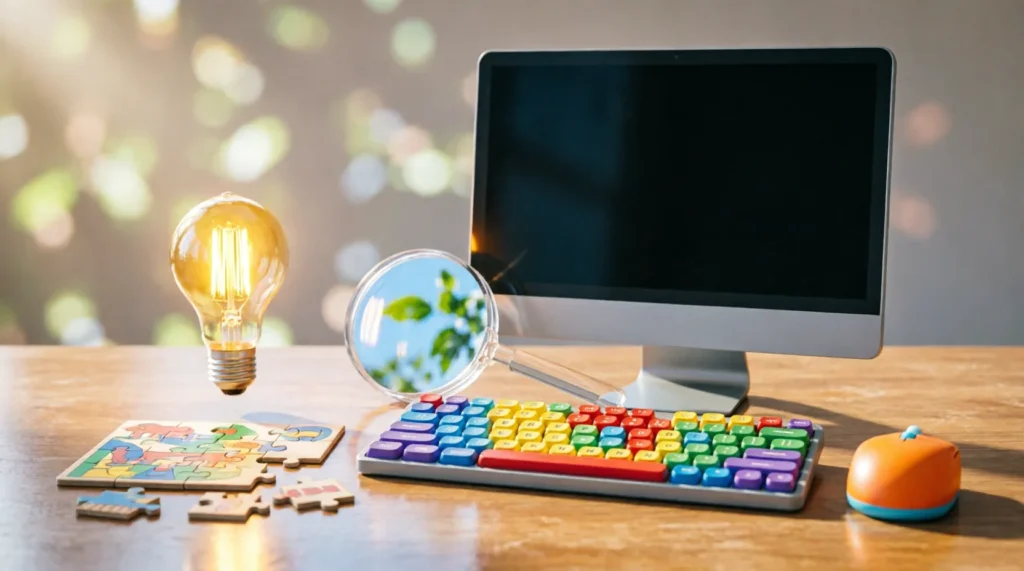
Welcome to a collection of computer riddles designed specifically for Class 2 students! These playful puzzles introduce young learners to basic technology concepts while sharpening their problem-solving skills. Whether you’re a teacher planning a tech-themed lesson or a parent looking for screen-time alternatives, these riddles make learning about computers genuinely enjoyable.
Top 5 Computer Riddles for Class 2
I have a screen but I’m not a TV. I have keys but I can’t play music. What am I? Answer: A computer
I click and clack but I’m not a typewriter. I help you type but I’m not a pen. What am I? Answer: A keyboard
I move around on your desk and help you point and click. I’m not a finger, but I help you select things. What am I? Answer: A mouse
I show you pictures, words, and videos, but I’m not a book or a TV. What am I? Answer: A monitor/screen
I’m inside the computer and I’m the brain that does all the thinking. What am I? Answer: A CPU (Central Processing Unit)
Easy Computer Riddles
These riddles are perfect for introducing Class 2 students to basic computer vocabulary. When I test these with 7-year-olds, they usually solve them within seconds, which builds confidence right away.
I have buttons but I’m not a shirt. You press me to type letters and numbers. What am I? Answer: A keyboard
I’m long and thin with a tail that wiggles. I help you move the cursor on the screen. What am I? Answer: A mouse
I’m flat and rectangular. I show you everything the computer is doing. What am I? Answer: A monitor
I’m the box that holds all the computer’s important parts. You might see lights blinking on me. What am I? Answer: A CPU/computer tower
I help you hear sounds from the computer. I’m not your ears, but I help you listen. What am I? Answer: Speakers
You plug me into the computer to save your files. I’m small and can fit in your pocket. What am I? Answer: A USB drive/pen drive
I look like a flat pad. You move your finger on me to control the cursor. What am I? Answer: A touchpad
I’m a special key on the keyboard with an arrow pointing up. I help you make capital letters. What am I? Answer: Shift key
I’m the longest key on the keyboard. I make spaces between words. What am I? Answer: Space bar
I’m a small light on the keyboard that tells you when capital letters are on. What am I? Answer: Caps Lock light
Funny Computer Riddles
These riddles add humor while teaching computer concepts. My favorite reaction is when kids realize the “mouse” isn’t actually an animal!
What kind of mouse doesn’t eat cheese? Answer: A computer mouse
Why don’t computers ever get cold? Answer: Because they have Windows!
What do you call a computer that sings? Answer: A Dell (del)
Why was the computer tired when it got home? Answer: Because it had a hard drive!
What’s a computer’s favorite snack? Answer: Computer chips!
Why did the computer go to the doctor? Answer: Because it had a virus!
What do you call a sleeping computer? Answer: A laptop!
Why don’t computers like going outside? Answer: They’re afraid of bugs!
What’s a computer’s favorite type of music? Answer: techno
Why was the math book sad when it met the computer? Answer: Because the computer had more bytes!
Tricky Computer Riddles
These riddles require a bit more thinking. According to Wikipedia’s article on Riddles, riddles have been used for centuries to test wit and knowledge, and these tricky ones follow that tradition while staying age-appropriate.
I have a memory but I don’t remember things like you do. I store information for the computer. What am I? Answer: RAM (Random Access Memory)
I’m not alive, but I can die. When I’m gone, you lose all your unsaved work. What am I? Answer: Battery/power
I have a face but no eyes. I have hands but no arms. I help you see the time on your computer. What am I? Answer: Clock/icon
You can click me, but I’m not a pen. You can double-click me, but I’m not a shoe. What am I? Answer: A mouse
I’m full of holes but I still hold water. I help cool down the computer. What am I? Answer: A fan/vent
I have keys but no locks. I have space but no room. You can enter but you can’t go inside. What am I? Answer: A keyboard
I run but I don’t have legs. I work but I don’t have hands. What am I? Answer: A computer program
I’m black and white and read all over. Well, actually I’m on a screen and you read me. What am I? Answer: An e-book/document
I have a window but I’m not a house. You can close me but I’m not a door. What am I? Answer: A computer window
I can be cracked, made, told, and played. But on a computer, I’m something you solve or complete. What am I? Answer: A puzzle/game
Short Computer Riddles
Perfect for quick brain breaks or transition times in the classroom. These one-liners get kids thinking about technology in fun ways.
What do you call a computer superhero? Answer: A screensaver
What’s a computer’s favorite dance? Answer: The disk-o
What kind of computer loves the ocean? Answer: A Dell (dell sounds like “dolphin” habitat)
What do computers eat for lunch? Answer: Microchips
Where do computers go to learn? Answer: Computer school (school of fish… get it?)
What’s a computer’s favorite subject? Answer: Spelling (spell check)
What do you call a computer that tells jokes? Answer: A com-pun-ter
Why did the computer keep sneezing? Answer: It had a virus!
What’s a computer’s favorite game? Answer: Solitaire
What do you call a computer that sings opera? Answer: A Dell Verdi
Computer Parts Riddles
Understanding computer components is fundamental. As Wikipedia explains about Computers, these machines consist of various hardware components working together, and these riddles help kids identify them.
I’m the brain of the computer. I do all the calculations and thinking. What am I? Answer: CPU (Central Processing Unit)
I’m where the computer stores everything permanently. Even when turned off, I remember. What am I? Answer: Hard drive
I’m the computer’s short-term memory. I forget everything when the computer turns off. What am I? Answer: RAM
I help you see the computer’s display on a bigger screen. I’m like a TV for your computer. What am I? Answer: Monitor
I translate your keystrokes into letters and numbers the computer understands. What am I? Answer: Keyboard
I help you point, click, and select things on the screen. I’m named after an animal. What am I? Answer: Mouse
I let you hear music, videos, and sounds from the computer. What am I? Answer: Speakers/headphones
I’m the main circuit board that connects all the computer parts together. What am I? Answer: Motherboard
I help the computer connect to the internet without wires. What am I? Answer: Wi-Fi card/adapter
I protect the computer from dust and keep all the parts safe inside. What am I? Answer: Computer case/tower
How to Use These Riddles
These computer riddles work brilliantly in multiple settings. Here are my favorite ways to use them based on real classroom and family experience:
In the Classroom:
- Use as warm-up activities before computer lab sessions
- Create a “Riddle of the Day” corner on your bulletin board
- Pair students up for riddle-solving partnerships
- Turn them into a scavenger hunt where kids find the actual computer parts after solving each riddle
At Home:
- Perfect for car rides or dinner table conversation
- Use as screen-time alternatives that still teach tech concepts
- Create a weekend riddle challenge with small prizes
- Let kids create their own computer riddles after solving these
For Parties and Events:
- Tech-themed birthday parties
- Computer camp icebreakers
- Library technology workshops
- STEM club activities
Pro tip: When I run these with Class 2 students, I write the riddles on index cards and let them work in pairs. The collaboration leads to great discussions about how computers work!
Frequently Asked Questions
What makes a good computer riddle for Class 2 students? A good riddle for this age group uses familiar vocabulary, relates to things they can see and touch, and has a clear, logical answer. The riddle should be challenging enough to make them think but not so difficult that they get frustrated. Visual clues help too—when kids can point to an actual keyboard or mouse while solving, it reinforces their learning.
How do computer riddles help young learners? Computer riddles build vocabulary around technology, develop critical thinking skills, and make abstract concepts more concrete. When a child figures out that a “mouse” isn’t an animal but a pointing device, they’re making connections between language and function. These mental links help them remember computer terminology better than simple memorization.
Should I give hints when kids can’t solve a riddle? Absolutely! I always keep a few hints ready. For example, if they’re stuck on “What has keys but can’t open locks?” I might say, “You use it every time you type your name.” The goal is learning, not frustration. If a riddle is too hard, move on and come back to it later—sometimes the answer clicks after they’ve solved a few easier ones.
Can these riddles work for other grade levels? Yes! For younger kids (Class 1), stick to the easiest riddles about mice, keyboards, and screens. For older students (Classes 3-4), you can introduce more technical riddles about RAM, CPUs, and software. The beauty of riddles is they scale well—you’re just adjusting the complexity of the concepts, not the fun factor.

Joshua Wilson is a former engineer turned puzzle enthusiast with over eight years of experience in the world of riddles and brain teasers. Holding a degree in Mechanical Engineering from MIT, Joshua’s technical background influences his approach to crafting intricate logic puzzles and spatial challenges. His journey into the realm of riddles began as a personal hobby, which soon evolved into a professional passion for dissecting the mechanics of problem-solving. At RiddleMeHub, Joshua specializes in puzzles that require a methodical approach, often drawing inspiration from engineering principles and scientific concepts. His content is characterized by its engaging complexity and educational value, designed to stimulate critical thinking and creativity. Joshua is committed to inspiring curiosity and wonder, encouraging readers to embrace the joy of discovery through the lens of puzzling. As an author, he brings a fresh perspective to traditional brain teasers, integrating modern techniques and interactive elements to captivate a wide audience.